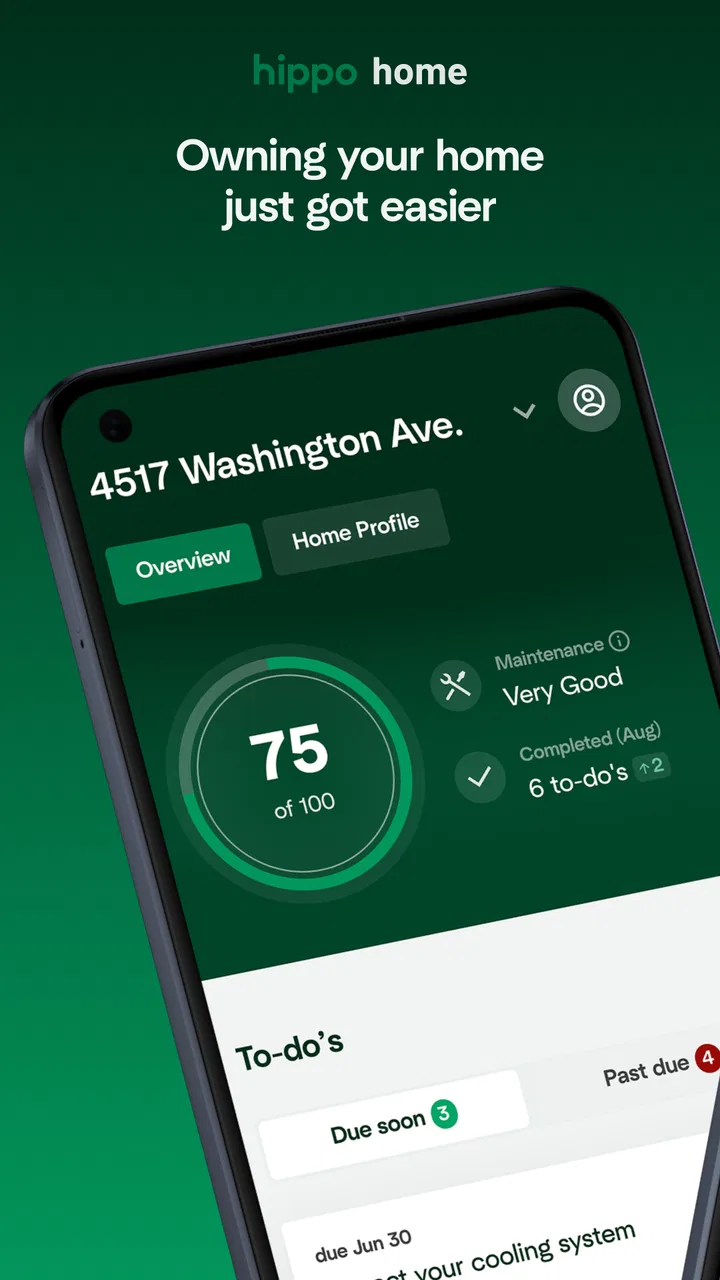
Hippo Home: Maintain & Insure
- 4.6
- Rating
- 50.00K
- Installs
- Free
- Price

 Analysis by App-foxy
I approached Hippo Home: Maintain & Insure as a homeownership companion rather than as a general household organizer. That distinction matters. An app connected with home maintenance and insurance can become useful at very personal moments: when something breaks, when you are preparing for a claim, or when you are trying to understand what needs attention before a small problem becomes expensive. It can also involve information that deserves careful handling, so I paid attention not only to convenience but also to the choices the app visibly gives the user.
Developed by Hippo Insurance Services, this free House & Home app has a 4.6 average from around 958 ratings and has passed 50K installs. Those figures suggest a real audience without making the product feel like an anonymous mass-market utility. It is intended for Everyone, and its store summary, “Simplifying Homeownership,” gives a fair sense of the goal: bring maintenance and insurance-related tasks closer together in one mobile experience.
Where Hippo Home fits in everyday homeownership
My first impression is that the app makes the most sense for people who want a more deliberate relationship with their home. It is not simply a checklist for cleaning or a replacement for a contractor. Its value comes from connecting the routine side of owning a property with the protection side. In practice, that can mean thinking about upkeep before damage occurs, keeping relevant information easier to reach, and approaching insurance as something to manage rather than something to remember only after an emergency.
You May Also Like

 Blood Strike: 2.5 Anniversary
Blood Strike’s Loadouts Turn Every Drop Into a Tactical Gamble
A close look at Blood Strike’s custom loadouts: how fast access to signature weapons reshapes its battle royale rhythm, rewards preparation, and narrows the gap between fights.

 Pandora - Music & Podcasts
Pandora’s Music Is Easy to Start, but Harder to Recover
Pandora’s strength is its low-effort path from a seed to a station. Its weak spot is how much confidence it asks you to place in connection, setup, and quiet recovery.

 8 Ball Pool
 Is Built on Rivalries, Rematches, and Routine
A close look at the rivalries, rematches, shared routines, and unanswered safety questions that turn a quick pool match into a persistent mobile community.

 Samsung Music
’s Quiet Strength Is Playing What You Already Own
Its reach comes less from spectacle than from dependable access to a personal library. That simplicity is both the app’s strongest retention engine and its ceiling.

 AccuWeather: Weather Radar
AccuWeather Review: A Quick, Clear Forecast for Everyday Decisions
For everyday plans, the best forecast is the one you can understand quickly. AccuWeather makes rain timing, radar, and local conditions easy to act on, with a few trade-offs.

 Hill Climb Racing
Why Hill Climb Racing Still Turns Crashes Into One More Run
A tiny car, a bumpy hill and one more upgrade: Hill Climb Racing keeps resurfacing because its simple chaos makes every near-miss feel personal.
More From Our News Desk
View All News


That focus separates it from the usual alternatives. A notes app is flexible, but it leaves you to design the system yourself. A calendar can remind you to inspect a roof or replace a filter, yet it does not naturally place those reminders beside insurance-related decisions. A standalone maintenance app may be stronger for detailed project planning, while an insurer’s website may be better for formal policy administration. Hippo Home sits between those options, aiming to make home-related responsibilities feel less scattered.
I would recommend trying it if you are a homeowner who regularly thinks, “I know I should keep track of this, but I never remember where I put the information.” It may also suit someone who has recently moved and wants a central starting point for becoming more organized. The app is less compelling for renters, people who already have a mature maintenance system, or users looking for a full renovation planner with detailed budgets, contractor comparisons, and project scheduling.
The most useful mindset is to treat it as a practical layer around ownership, not as an all-purpose digital filing cabinet. That expectation keeps the experience grounded. You still need qualified professionals for repairs, and you still need to read insurance documents carefully. What the app can do is reduce the friction between noticing a responsibility and taking the next sensible step.
What I would use it for first
I would begin with the home tasks that are easy to postpone because they are not urgent. Seasonal checks, basic upkeep, and preparing information that might matter later are good examples. The benefit is not that a phone suddenly understands every detail of a property. The benefit is that a homeowner has a more intentional place to return to instead of relying entirely on memory, scattered photographs, paper folders, or messages to a partner.
A realistic situation shows the appeal. Imagine discovering a slow leak under a sink on a weekday evening. The immediate job is to stop the water and decide whether a repair is needed. The less obvious job is remembering what happened, what was damaged, and which insurance information may be relevant. A home-focused app can help make that moment less chaotic by giving the homeowner a familiar point of reference. I would still document the issue separately if necessary, but having maintenance and protection in the same context is more useful than opening an unrelated notes app and hoping I remember the right details later.
Another good use is preparing before a busy period. If I know I will be away from home, I would rather review important household responsibilities beforehand than discover a problem after returning. The app is most valuable when used proactively, while everything is calm. That is also when I can make careful decisions about what information I want to keep in the app and what I prefer to store elsewhere.
Trust begins with visible choices
Because this app deals with a home and may sit close to insurance activity, I do not judge it only by how polished the screens feel. I look for visible control: whether the app makes it clear what the user is being asked to provide, whether account-related actions are understandable, and whether the user can make deliberate choices instead of being pushed through a vague setup process.
That is the right standard for any app that may become part of a household’s digital routine. Convenience is not enough if the user cannot tell what is being saved, why it is useful, or how to change a decision later. I would take time during onboarding to read each prompt rather than tapping through automatically. If the app asks for home details or contact information, I would provide only what is needed for the task I actually want to complete.
I also prefer separating “helpful to have” from “necessary to use.” A property detail can make a home-management experience more relevant, but that does not mean I should enter every possible piece of information immediately. Starting with the minimum practical setup is a sensible way to test whether the app earns a permanent place on the phone.
The developer’s identity is clear, which gives the product a more specific trust context than an unnamed utility. At the same time, the connection with Hippo Insurance Services means I would be especially careful when moving from general home organization into insurance-related areas. I would check the wording on each screen, distinguish guidance from formal policy terms, and avoid treating an in-app explanation as a substitute for the actual insurance documents.
Account control matters more than a smooth first launch
A good first session is not the same as long-term control. Before committing to regular use, I would look through the account and settings areas for the actions I care about: updating personal details, managing notifications, reviewing sign-in choices, and understanding how to stop using the service. These are ordinary controls, but they become important when an app is connected to a home and potentially sensitive household information.
Notifications deserve particular attention. Reminders can be helpful when they prevent neglected maintenance, but too many alerts quickly turn a useful tool into background noise. I would keep only the notifications that support a real habit and disable anything that feels promotional, repetitive, or unrelated to my priorities. A home app should help me act, not make me feel that every minor task is an emergency.
I would also avoid sharing an account casually across a household unless the app’s own account options clearly support that arrangement. Homeownership is often shared, but shared responsibility does not automatically mean shared credentials. Each person should understand how access works and what information becomes visible. If the available controls do not match the way a household operates, a separate agreed system may be safer and clearer.
One practical tip is to review the app after the first meaningful task rather than after installation. Once I have entered a home detail, changed a setting, or used an insurance-related area, I can better judge whether the controls are understandable in context. That is more informative than scanning a welcome screen. It also gives me a chance to remove information I entered impulsively before the app becomes part of my routine.
Be deliberate during data-sensitive moments
The most sensitive point is likely to be an incident involving damage. When something goes wrong at home, people act quickly, and quick actions can lead to oversharing. My advice is to pause for a moment before entering details. Record only what is relevant to the immediate purpose, avoid unnecessary personal information in free-text fields, and do not upload or describe anything simply because the option appears available.
I would also be cautious with photographs. Images of a damaged room can reveal more than the damage itself: family photographs, documents, addresses, valuables, or other people. Before using any image-based workflow, I would check the frame and crop out unrelated material where possible. This is not a criticism unique to Hippo Home; it is a sensible habit whenever a home-related app may receive visual evidence.
Another useful distinction is between maintenance history and claim information. A maintenance note can be a simple record that a task was completed. A claim-related submission may have more serious consequences and should be treated as formal communication. I would reread every description, confirm dates and facts, and keep copies of important records outside the app when appropriate. That gives me a backup and prevents the phone from becoming the only place where a significant event is documented.
I would not use the app as a place to speculate about the cause of damage. If I am unsure whether a problem came from wear, weather, plumbing, or another source, I would describe what I observed rather than presenting a guess as fact. This makes any later conversation more accurate and keeps the app in its proper role: supporting organization and communication, not replacing professional assessment.
For households with children, guests, tenants, or service workers, I would be mindful of whose information enters the account. A home-management tool can gradually accumulate names, schedules, photos, and details about who lives in a property. The safest workflow is to keep entries focused on the home task and avoid turning routine notes into a detailed personal diary.
How much control does the user really have?
User agency is strongest when the app helps me choose what to do next without making the decision for me. I want maintenance guidance to inform my priorities, not create panic. I want insurance-related information to make a process easier to understand, not pressure me into accepting language I have not read. The difference may be subtle, but it is important.
I would use the app as a prompt for questions. If it highlights an area of home care I have ignored, I can investigate whether that task applies to my property, check manufacturer guidance, or ask a professional. If it presents an insurance option, I can compare it with my policy documents and decide whether it fits my situation. That approach preserves the app’s convenience while keeping responsibility with the homeowner.
There is also a trade-off between centralization and independence. Keeping everything in one place is convenient, but it can make a user overly dependent on one account or one company’s workflow. I would maintain a small external record of essential policy information, repair receipts, and important dates. That is not redundant busywork; it is a sensible backup strategy. If I change devices, lose access, or simply decide the app no longer suits me, I should still be able to manage my home.
For a couple or family, I would agree on a simple routine: one person can enter a task, but everyone who relies on the information should know where it is and how to access the relevant account. If the app’s sharing or account controls do not fit that arrangement, I would use it as an individual reference rather than forcing it to become the household’s only system.
People who want maximum customization may find this limiting. A spreadsheet can track obscure property details, costs, warranties, and dates exactly the way I choose. A dedicated password manager may be better for sensitive documents, and a cloud storage folder may be better for a large archive of receipts and photographs. Hippo Home is more attractive when I value a guided homeownership context over unlimited flexibility.
Performance, compatibility, and practical expectations
The current version is 5.10.1 and requires iOS 11 or later. That makes the technical entry point fairly approachable for people using a compatible iPhone, but compatibility is only one part of the experience. I would still keep the operating system updated, use a secure device passcode, and avoid treating the app as a safe place for information simply because it is installed on a personal phone.
Since the app is free, the main cost is not a purchase price but the time and attention required to set it up and keep information accurate. That is worth considering. A free app can still become expensive in practice if it encourages duplicate work, constant notifications, or a false sense that a task has been handled when it has only been recorded. I would measure its value by whether it helps me complete or prepare for real home responsibilities.
The Everyone age rating makes it broadly accessible, but that does not mean every household member should use it without guidance. Children may be able to open the app, yet insurance and property decisions belong with the adults responsible for the home. If a shared device is involved, I would use separate device profiles or account protections where available rather than assuming the rating solves access concerns.
One of my preferred workflows would be a monthly review rather than constant checking. I would open the app, look for outstanding home responsibilities, verify that important information is still current, and then close it. This keeps the tool useful without allowing it to dominate my attention. For urgent damage, I would use it as part of a broader response that includes stopping further harm, contacting the appropriate professional, and preserving relevant documentation.
Who should choose it, and who should look elsewhere?
I see Hippo Home as a good fit for a homeowner who wants a guided, insurance-aware way to become more organized. It is especially suitable for someone who is starting from scattered notes and good intentions. The combination of home maintenance and protection gives it a clear identity, and the free entry point makes experimentation easy.
I would be more cautious about recommending it to a person who expects a complete property-management suite. If your priority is detailed renovation estimating, contractor scheduling, inventory management, smart-home automation, or a highly customizable maintenance database, a specialized tool may serve you better. Likewise, if you already have a reliable folder structure, calendar system, and secure document archive, adding another app may create more duplication than value.
It is also not the right choice for someone who dislikes entering household information into an account or who wants an entirely offline workflow. In that case, a paper maintenance binder or locally controlled record may provide greater comfort and clearer boundaries. The right tool is the one whose controls and data practices match your own tolerance for convenience and centralization.
My strongest recommendation is to start small. Use the app for one genuine home task, inspect the choices it presents, adjust notifications, and then decide whether it deserves more information. Do not build your entire household record in one sitting. This staged approach lets you judge the real benefit while keeping your personal data exposure and organizational dependence under control.
My cautious verdict
Hippo Home: Maintain & Insure has a sensible purpose and a more focused identity than a generic checklist app. I like the idea of bringing home upkeep and insurance awareness into the same experience, especially for homeowners who need help turning vague responsibilities into visible next steps. The app’s strongest quality is not a flashy feature; it is the possibility of making ownership feel less fragmented.
My approval comes with a clear condition: use it intentionally. Read prompts, limit the information you enter, review account and notification controls, and treat sensitive incident details with care. Keep independent records for anything important, and never confuse an app workflow with the full meaning of an insurance policy or professional repair advice.
After its release on February 28, 2022, the app has grown into a recognizable option in the home category, with 77 written reviews alongside its broader rating count. I would not choose it merely because it has a polished premise or a strong average. I would choose it if its visible controls feel understandable and if its combined approach genuinely reduces the scattered work of managing a home.
For the right homeowner, that is enough to make it worth trying. It will not replace judgment, documentation, contractors, or careful policy reading, and users who need deep customization may outgrow it. But if you want a free starting point for more organized homeownership while retaining control over what you share and how you use the account, Hippo Home is a practical companion when used with sensible boundaries.
FAQs for Hippo Home: Maintain & Insure
01What are the main features of Hippo Home: Maintain & Insure?
Hippo Home: Maintain & Insure offers a comprehensive home management solution that includes home maintenance reminders, insurance policy management, and repair tracking. The app also provides personalized maintenance recommendations and the ability to manage multiple properties. It’s designed to simplify home ownership by keeping all essential home-related tasks in one user-friendly platform.
02Is Hippo Home: Maintain & Insure available for both Android and iOS devices?
Yes, Hippo Home: Maintain & Insure is available for download on both Android and iOS platforms. This ensures that users can access the app's features regardless of their device preference, making home management easy and convenient for a wide range of users. Links to download are available on our website.
03Does Hippo Home: Maintain & Insure offer any integration with smart home devices?
Currently, Hippo Home: Maintain & Insure offers limited integration with select smart home devices. These integrations aim to enhance the user experience by allowing for seamless updates and alerts directly from connected devices. As the app evolves, more integrations may be added to further streamline home management tasks.
04How secure is my personal information on Hippo Home: Maintain & Insure?
Hippo Home: Maintain & Insure places a strong emphasis on user privacy and data security. The app employs robust encryption protocols to protect personal information and sensitive data. Regular security updates and compliance with industry standards ensure that your information remains secure while using the app.
05Can I manage multiple properties with Hippo Home: Maintain & Insure?
Yes, Hippo Home: Maintain & Insure supports the management of multiple properties. This feature is especially beneficial for users who own more than one home or rental property, allowing them to organize and maintain each property’s needs effectively within a single app.
Pros
- User-friendly interface for easy navigation.
- Comprehensive maintenance scheduling feature.
- Supports multiple property management.
- Integrates well with smart home devices.
- Provides detailed insurance tracking.
Cons
- Limited customization for reminders.
- Requires internet for full functionality.
- Occasional syncing issues reported.
- Premium features are subscription-based.
- Limited support for third-party apps.

Hippo Home: Maintain & Insure
Gallery